
Mengelola Tautan Pendek dengan Mudah: Mengenal API Manajemen Tautan
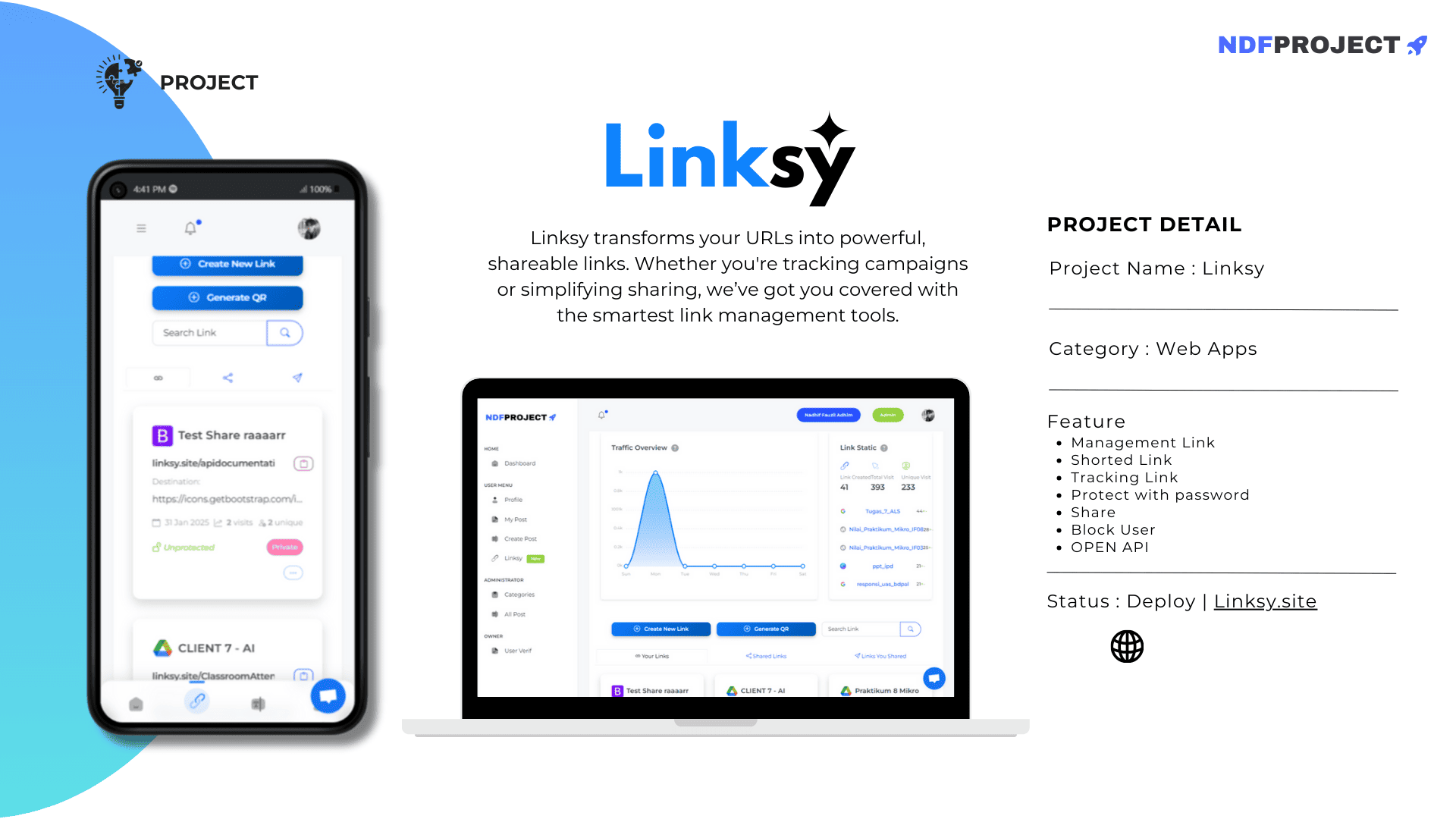
Di era digital saat ini, manajemen tautan pendek menjadi semakin penting untuk berbagai keperluan, mulai dari pemasaran hingga analisis trafik. Untuk memudahkan proses ini, hadir sebuah API yang dirancang khusus untuk mengelola tautan pendek dan melacak performanya. fitur-fitur unggulan dari API ini dan bagaimana Anda dapat memanfaatkannya untuk kebutuhan Anda.
API Overview
Base URL: https://ndfproject.my.id/api/
Full Documentation: https://ndfproject.my.id/apidocumentation
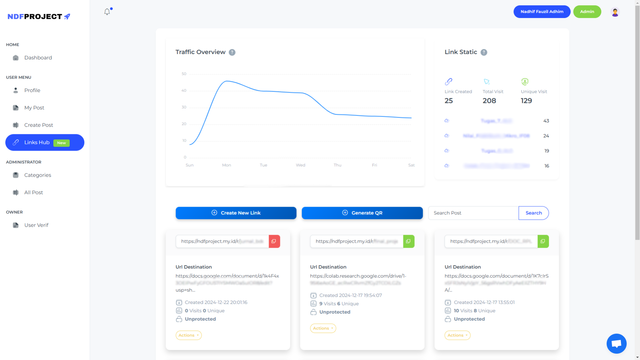
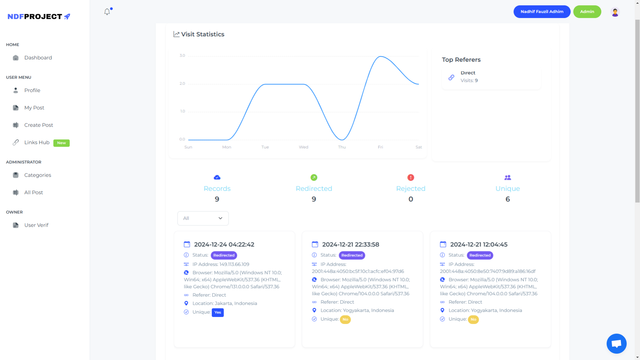
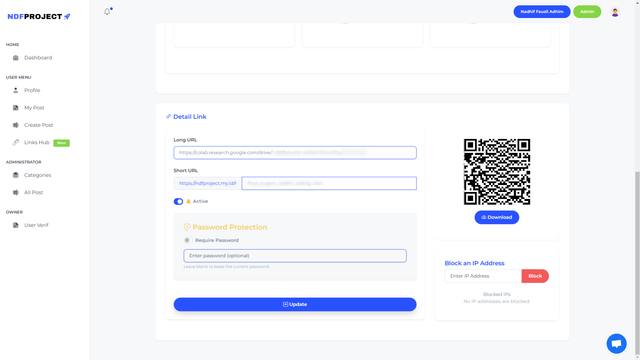
This API is designed for managing shortened links and tracking their performance. It provides various endpoints to create, update, retrieve, and delete links, as well as monitor link activities such as visits, unique visits, and blocked IPs. Additionally, it supports link protection features like password protection, with full control over the links' visibility and status. Whether you're managing a collection of links or analyzing their traffic, this API offers all the necessary functionality for efficient link management and tracking.
Authentication
The API uses token-based authentication with Sanctum.
Register
Endpoint: /register
Method: POST
Description: Registers a new user.
{
"name": "string",
"username": "string",
"email": "string",
"password": "string"
}
Response:
201Created on success422Unprocessable Entity on validation failure
Login
Endpoint: /login
Method: POST
Description: Logs in a user.
{
  "email": "string",
  "password": "string"
}
Response:
200OK on success:
{
    "success": boolean,
    "message": "string",
    "access_token": "string",
    "token_type": "Bearer",
    "user": {
        "id": "integer",
        "email": "string",
        "name": "string",
        "username": "string",
        "avatar": "string|null"
    }
}
401Unauthorized on failure:
{
    "message": "The provided credentials are incorrect."
}
Logout
Endpoint: /logout
Method: POST
Description: Logs out the authenticated user.
Headers: Authorization: Bearer {token}
Response:
200OK on success
Links
Get Links
Endpoint: /links
Method: GET
Description: Retrieves a paginated list of links created by the authenticated user.
Headers: Authorization: Bearer {token}
Query Parameters:
search(optional): Filter links by slug.
Response:
{
  "success" : "boolean",
  "totalLinks": "integer",
  "totalVisit": "integer",
  "totalUniqueVisit": "integer",
  "links": { "data": [...] },
  "topLinks": [...]
}
Create Link
Endpoint: /links
Method: POST
Description: Creates a new link.
Headers: Authorization: Bearer {token}
{
  "success" : "boolean",
  "target_url": "string",
  "slug": "string",
  "password_protected": "boolean",
  "password": "string (optional)",
  "active": "boolean"
}
Response:
201Created on success:{"message": "Link created successfully.", "link": {...}}422Unprocessable Entity on validation failure
Get Link Details
Endpoint: /links/{id}
Method: GET
Description: Retrieves details of a specific link.
Headers: Authorization: Bearer {token}
Query Parameters:
filter(optional): (all, unique, redirected, rejected)
Response:
{
  "success" : "boolean",
  "link": {...},
  "visithistory": { "data": [...] },
  "redirectedCount": "integer",
  "rejectedCount": "integer",
  "blockedIps": [...],
  "filter": "string",
  "topReferers": [...]
}
Update Link
Endpoint: /links/{id}
Method: POST (use _method=PUT in request body)
Description: Updates an existing link.
Headers: Authorization: Bearer {token}
Request Body:
{
  "success" : "boolean",
  "target_url": "string",
  "slug": "string",
  "password": "string (optional)",
  "password_protected": "boolean",
  "active": "boolean",
  "_method": "PUT"
}
Response:
{
  "message": "Link updated successfully.",
  "link": {...}
}
Delete Link
Endpoint: /links/{id}
Method: POST (use _method=DELETE in request body)
Description: Deletes a specific link.
Headers: Authorization: Bearer {token}
Request Body:
{
  "_method": "DELETE"
}
Response:
{
  "message": "Link deleted successfully."
}
Block Ip
Get Blocked IPs
Endpoint: /block-ip/{link_id}
Method: GET
Description: Retrieves blocked IPs associated with a specific link ID.
Headers: Authorization: Bearer {token}
Response:
200 OKon success:
{
"success": true,
"message": "Blocked IPs retrieved successfully.",
"data": [...]
}
200 OKif no blocked IPs are found:
{
"success": true,
"message": "No blocked IPs found for the given link ID.",
"data": []
}
500 Internal Server Erroron unexpected error:
{
"success": false,
"message": "An unexpected error occurred.",
"error": "string"
}
Block an IP Address
Endpoint: /block-ip
Method: POST
Description: Blocks an IP address for a specific link.
Headers: Authorization: Bearer {token}
Request Body:
{
"ip_address": "string",
"link_id": "integer"
}
Response:
200 OKon success:
{
"success": true,
"message": "IP Address blocked successfully."
}
422 Unprocessable Entityon validation failure:
{
"success": false,
"message": "The given data was invalid.",
"errors": { ... }
}
500 Internal Server Erroron unexpected error:
{
"success": false,
"message": "An unexpected error occurred.",
"error": "string"
}
Unblock an IP Address
Endpoint: /block-ip/{id}
Method: POST (use _method=DELETE in request body)
Description: Unblocks a specific IP address.
Headers: Authorization: Bearer {token}
Request Body:
{
"_method": "DELETE"
}
Response:
{
"success": true,
"message": "IP Address unblocked successfully."
}
500 Internal Server Erroron unexpected error:
{
"success": false,
"message": "An unexpected error occurred.",
"error": "string"
}
Visit Data
Retrieve visit statistics for the authenticated user's links.
Endpoint: /visit-data
Method: GET
Headers: Authorization: Bearer {token}
Response:
{
  "visitData": [integer, integer, integer, integer, integer, integer, integer],
  "weeklyVisitData": [integer, integer, integer, integer, integer, integer, integer]
}
The array represents visit counts for each day of the week, starting with Sunday.
QR Code
Generate a QR code for the provided data.
Endpoint: /qrcode
Method: GET
Query Parameters:
data(required): The data to encode in the QR code.size(optional): Dimensions of the QR code (e.g., 200x200).
Response:
{
  "success": true,
  "message": "QR Code generated successfully.",
  "qrCodeUrl": "string"
}